Lekuo USB-C 10GbE 이더넷 어댑터 (RTL8159)
PCIe 카드 설치 없이 안정적이고 유연한 10G 네트워킹이 필요한 노트북, NAS 시스템 및 워크스테이션을 위해 설계된 고속 USB-C-10Gb 이더넷 어댑터입니다.

USB-C를 통한 고속 10G 네트워킹
간단한 USB-C 연결을 사용하여 시스템을 10Gb 이더넷으로 업그레이드하세요. 장치를 열지 않고도 휴대용 10G 네트워크 솔루션이 필요한 사용자에게 이상적입니다.
- 멀티 기가 지원 Realtek RTL8159 칩셋
- 10G / 5G / 2.5G / 1G / 100M 속도 지원
- USB 3.2 Gen2x2 인터페이스 (최대 20Gbps 대역폭)
- 쉬운 배포를 위한 표준 RJ45 포트

호스트 인터페이스별 실제 성능
성능은 USB 포트 유형에 따라 다릅니다. 다음은 Lekuo DR59R11 (Realtek RTL8159)을 기반으로 한 실제 테스트 결과입니다. 시스템에 따라 결과는 다를 수 있습니다.

| 호스트 인터페이스 |
최대 USB 데이터 속도 |
실제 처리량 |
| USB 3.0 (USB 3.2 Gen1) |
5 Gbps |
3.54 - 3.92 Gbps |
| USB 3.1 (USB 3.2 Gen2) |
10 Gbps |
7.21 - 7.44 Gbps |
| USB 3.2 Gen2x2 |
20 Gbps |
9.12 - 9.49 Gbps ✓ 완전한 10G |
| Thunderbolt 3 |
40 Gbps (USB 5/10 Gbps 모드) |
3.54 - 6.01 Gbps* |
| Thunderbolt 4 |
40 Gbps (USB 10 Gbps 모드) |
7.11 - 7.44 Gbps* |
| Thunderbolt 5 |
80 Gbps (USB 10 Gbps 모드) |
5.92 - 6.25 Gbps* |
| USB4 |
40 Gbps (USB 10 Gbps 모드) |
7.11 - 7.44 Gbps* |
*참고: Thunderbolt 및 USB4 포트는 비-Thunderbolt 장치에 연결될 때 "USB 호환 모드"로 작동하는 경우가 많습니다. 실제 속도는 호스트 컨트롤러 구현에 따라 달라집니다.
처리량은 Cat6a 케이블, 10GbE NAS 및 최적의 네트워크 조건에서 iperf3으로 측정되었습니다.
팬리스 설계 - 조용하고 효율적
다른 고속 네트워크 어댑터와 달리 이 USB-C 10GbE 어댑터는 뛰어난 방열 기능을 갖춘 완전 팬리스 설계를 특징으로 합니다.

- 0dB 소음 - 완벽한 무음 작동
- 수동 냉각을 위한 알루미늄 방열판
- 움직이는 부품 없음 - 높은 신뢰성
- 조용한 홈 오피스 또는 스튜디오 환경에 적합
넓은 시스템 호환성
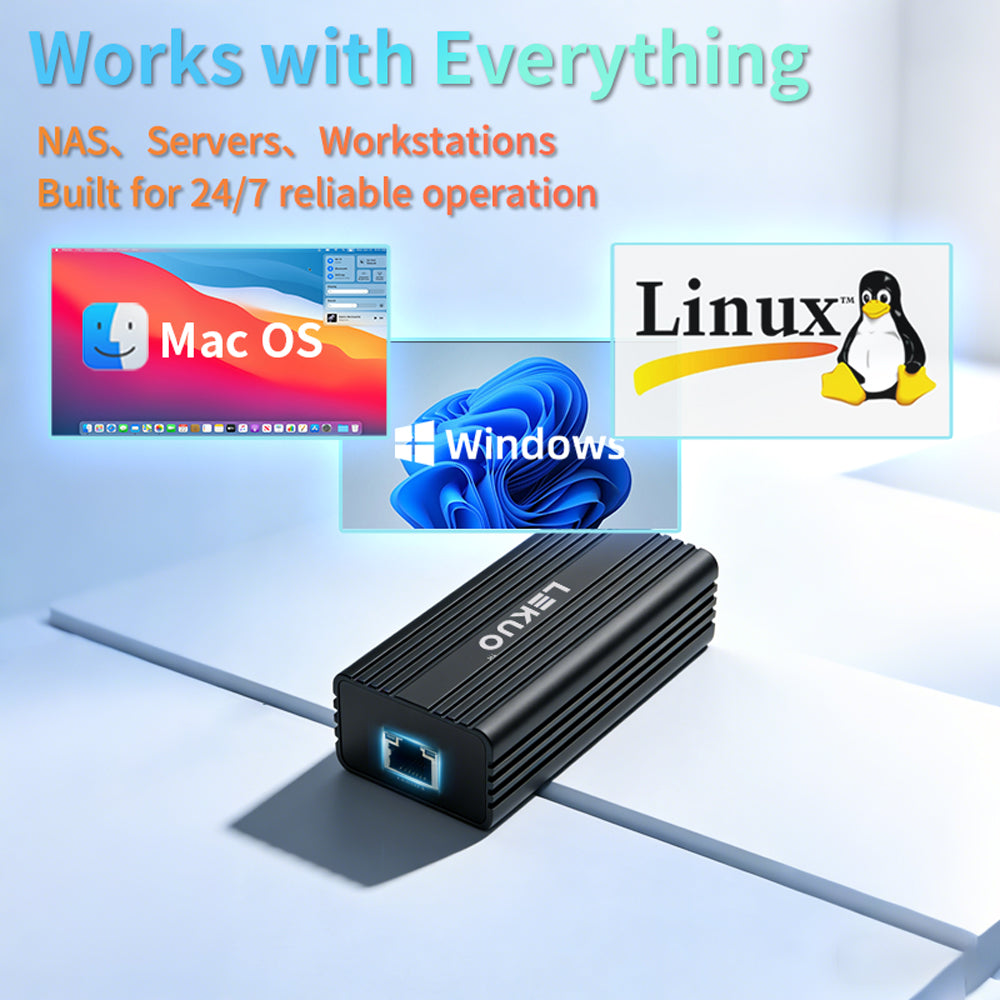
다양한 운영 체제와 호환됩니다. macOS는 플러그 앤 플레이 편의성을 제공하며, Windows 및 Linux는 최적의 성능을 위해 드라이버 설치가 필요합니다.

-
Windows 10/11: 드라이버 설치 필요
-
Linux: 드라이버 설치 필요 (커널 지원 가능)
-
macOS: ✓ 플러그 앤 플레이 - 드라이버 필요 없음
-
iOS/iPhone: 제한적인 사용 (호환성 다름)
실제 사용 사례를 위한 설계

- NAS 및 홈랩 설정을 위한 완벽한 10G 이더넷 어댑터
- 대용량 4K/8K 파일을 다루는 비디오 편집자에게 이상적
- 대규모 데이터 세트를 전송하는 엔지니어에게 적합
- 내장 이더넷 포트가 없는 노트북을 위한 최적의 선택

PCIe 대신 USB 10G를 선택하는 이유
기존 PCIe 네트워크 카드와 비교하여 이 USB-C 10Gb 이더넷 어댑터는 네트워크를 업그레이드하는 더 유연하고 접근하기 쉬운 방법을 제공합니다.
- 장치를 열거나 하드웨어를 설치할 필요 없음
- 표준 RJ45 이더넷 인프라와 작동
- 내부 NIC 솔루션보다 휴대성이 뛰어남
- 10G 네트워킹에 대한 진입 장벽 낮춤
전체 패키지 및 사양

기술 사양:
-
인터페이스: USB-C (USB 3.2 Gen2x2, 하위 호환 가능)
-
칩셋: Realtek RTL8159
-
포트: 1 × RJ45 이더넷
-
속도: 10G / 5G / 2.5G / 1G / 100M / 10M 자동 협상
-
호환성: 노트북, 데스크탑, 미니 PC, NAS
-
케이블 요구 사항: 10G의 경우 Cat6a 이상 권장
-
OS 지원: Windows 10/11, Linux, macOS, iOS/iPhone
패키지 내용물:
- 1 × USB-C 10GbE 이더넷 어댑터
- 1 × 사용 설명서
드라이버 다운로드 및 설치
Windows 및 Linux 시스템의 경우 최적의 성능을 위해 드라이버 설치가 필요합니다. macOS 사용자는 플러그 앤 플레이 편의성을 누릴 수 있습니다.

📥 RTL8159 드라이버 다운로드
설치 단계:
- 위 버튼을 클릭하여 RTL8159 드라이버 패키지 다운로드
- ZIP 파일 압축 해제 및 설치 프로그램 실행
- 화면 지침에 따라 설치 완료
- 요청 시 시스템 다시 시작
- 어댑터 연결 및 네트워크 연결 확인
FAQ
Q: 이 어댑터가 완전한 10Gbps 속도에 도달할 수 있나요?
A: 네, USB 3.2 Gen2x2 (20Gbps) 포트에 연결하면 적절한 10G 네트워크 환경에서 실제 테스트에서 9.12-9.49 Gbps를 달성할 수 있습니다.
Q: 제 장치에 USB 3.1 (10Gbps)만 있다면요?
A: 여전히 7.21-7.44 Gbps의 뛰어난 성능을 얻을 수 있으며, 이는 대부분의 고속 네트워킹 작업에 충분합니다.
Q: Thunderbolt 성능이 USB 3.2 Gen2x2보다 낮은 이유는 무엇인가요?
A: Thunderbolt 및 USB4 포트는 비-Thunderbolt 장치에 연결될 때 "USB 호환 모드"로 작동하는 경우가 많습니다. 실제 속도는 호스트 컨트롤러 구현에 따라 달라집니다.
Q: 드라이버를 설치해야 하나요?
A: macOS 사용자는 드라이버 없이 플러그 앤 플레이를 지원합니다. Windows 및 Linux 사용자는 최적의 성능을 위해 드라이버를 설치해야 합니다.
Q: macOS와 호환되나요?
A: 네, macOS는 이 어댑터에 대한 네이티브 플러그 앤 플레이를 지원하므로 드라이버 설치가 필요하지 않습니다.
Q: NAS에 적합한 10G 어댑터인가요?
A: 네, NAS 또는 홈랩 환경에 10G 연결을 추가하기 위한 실용적이고 유연한 솔루션입니다.
Q: 작동 중에 소음이 발생하나요?
A: 아니요, 이 제품은 완전히 팬리스 디자인으로 0dB의 소음 수준을 자랑하여 조용한 환경에 완벽합니다.
복잡성 없는 안정적인 10G 네트워킹
이 USB-C 10Gb 이더넷 어댑터는 PCIe 설치 또는 광섬유 기반 SFP+ 설정의 복잡함 없이 고속 네트워킹을 원하는 사용자를 위해 설계되었습니다. 성능, 유연성 및 사용 편의성 사이에서 균형 잡힌 솔루션을 제공합니다.
URL:https://lekuo.com/uploadfile/upload//data/upload/image/RTL8159.zip
Q: Can I use this 10G adapter with Apple MacBook and iMac? Does it require a driver?
A: Fully supported, and it is plug-and-play with no driver required on macOS. However, please note that when a Mac's Thunderbolt (Thunderbolt 3/4) or USB4 port connects to a non-Thunderbolt USB 10G NIC, it typically runs in "USB compatibility mode" (10Gbps), so the actual throughput on Macs is capped at approximately 7.2 Gbps.
Q: Why does my Thunderbolt 4 / USB4 port only deliver around 7 Gbps in speed tests, far below the 9.4 Gbps 10G maximum?
A: This is determined by Intel's Thunderbolt controller and the underlying USB4 protocol allocation mechanism. When Thunderbolt 3/4 and USB4 ports are backward-compatible with non-Thunderbolt 10G devices, they typically allocate only 10 Gbps of USB data bandwidth and cannot activate 20 Gbps mode. To achieve the full 9.4 Gbps speed, we recommend using a PC with a USB 3.2 Gen2x2 (20Gbps) independent controller.
Q: Is this NIC compatible with Synology, QNAP, and other NAS devices?
A: Compatible, but some systems may require third-party drivers. On Linux-core NAS systems or self-built Xpenology, you can download and install the corresponding RTL8159 driver from open-source communities like GitHub. For slim NAS devices without PCIe expansion slots, this is an excellent low-power 10G upgrade solution.
Q: Does this 10G NIC generate a lot of heat? Will it overheat and disconnect during prolonged downloading?
A: Any 10GBASE-T NIC generates noticeable heat during operation. However, thanks to the RTL8159 chip's low-power design and the high-thermal-conductivity aluminum alloy housing with heat-dissipating fins, its thermal control is significantly better than older 10G NICs. The housing will feel warm under sustained full load, which is normal thermal exchange and will not cause throttling or disconnection.
Q: Does it support PVE (Proxmox VE), ESXi virtual machines, or OpenWrt soft router systems?
A: Yes. In PVE and mainstream Linux environments, RTL8159 has good system and community driver support. For OpenWrt soft routers, as long as your firmware includes the Realtek USB 10G NIC driver, you can use it as a 10G WAN/LAN port, making it ideal for building a compact 10G soft router.
Q: What are the cable requirements? Can I use standard Cat6 cables?
A: To ensure stable 10G speeds and signal integrity, we strongly recommend using Cat6a (Augmented Category 6) or Cat7/Cat8 cables. Over short distances (within 5 meters), high-quality genuine Cat6 cables might negotiate 10G, but over longer distances they are prone to dropping to 5G or 2.5G, or even experiencing frequent packet loss.
Q: Does this product support Jumbo Frames and Wake-on-LAN (WoL)?
A: Fully supported. The adapter supports Jumbo Frames up to 16KB, which significantly reduces CPU overhead when transferring large files between a NAS and a PC over the LAN. It also fully supports Wake-on-LAN functionality.
Q: Can this USB 10G NIC connect to standard 2.5G or 1G (Gigabit) switches?
A: Absolutely, it is fully downward-compatible. The adapter features advanced Auto-Negotiation technology, supporting not only 10G but also 5G, 2.5G, 1G (Gigabit), as well as 100M/10M speeds. It automatically negotiates with the maximum speed supported by your connected switch or router port, achieving seamless speed fallback.
Q: Can I use this NIC for link aggregation (Teaming/Bonding) to combine bandwidth on Windows 10/11?
A: It depends on the OS and controller. Windows 10/11 consumer editions have removed the standard NIC teaming feature. However, if you are using Linux, PVE, self-built NAS (e.g., Xpenology), or Windows Server, you can fully leverage built-in LACP or Bonding protocols to combine this NIC with others for link redundancy or bandwidth stacking.
Q: If my computer doesn't have a USB-C port, can I use a regular USB-A adapter?
A: It is usable, but strongly not recommended. Using a regular USB-A (USB 3.0) adapter limits the host port bandwidth to 5Gbps or even less, which drops the actual throughput of this 10G NIC to around 3.5 Gbps. Additionally, 10G NICs draw significant power, and many USB-A ports (especially front-panel ports) may not provide sufficient power, leading to disconnection issues.
Q: Does this adapter support Wake-on-LAN (WoL)? Do I need to adjust BIOS settings?
A: The hardware fully supports WoL. However, since it is powered via the USB bus, after your computer shuts down (S5 state), your motherboard BIOS must enable "Allow USB devices to wake the system" or disable "ErP support" to maintain standby power to the USB ports, enabling remote wake-on-LAN functionality.
Q: Why is my speed slower on Thunderbolt 3/4/5 than on USB 3.2 Gen2x2? Is the adapter defective?
A: No, this is completely normal behavior — not a defect. Thunderbolt ports use Intel's controller, which allocates USB bandwidth in compatibility mode (max 10 Gbps tunnel). This means the actual throughput is limited to ~7 Gbps on Thunderbolt 4/USB4, and ~3.5–6 Gbps on Thunderbolt 3. To unlock the full 9.4 Gbps 10G speed, connect to a native USB 3.2 Gen2x2 port (20 Gbps). Check your PC specs or motherboard manual to identify if you have a Gen2x2 port — it is often labeled "USB 3.2 Gen2x2" or "20G" on the port or in device manager.
Reliable 10G Networking Without Complexity
This USB-C 10Gb Ethernet adapter is designed for users who want high-speed networking without the complexity of PCIe installation or fiber-based SFP+ setups. It offers a balanced solution between performance, flexibility, and ease of use.