
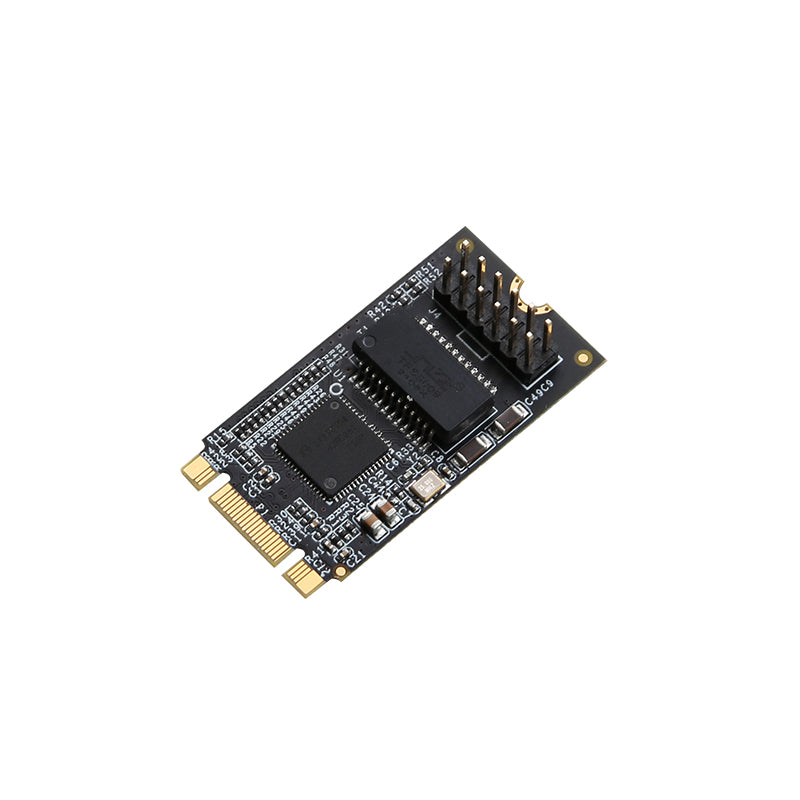
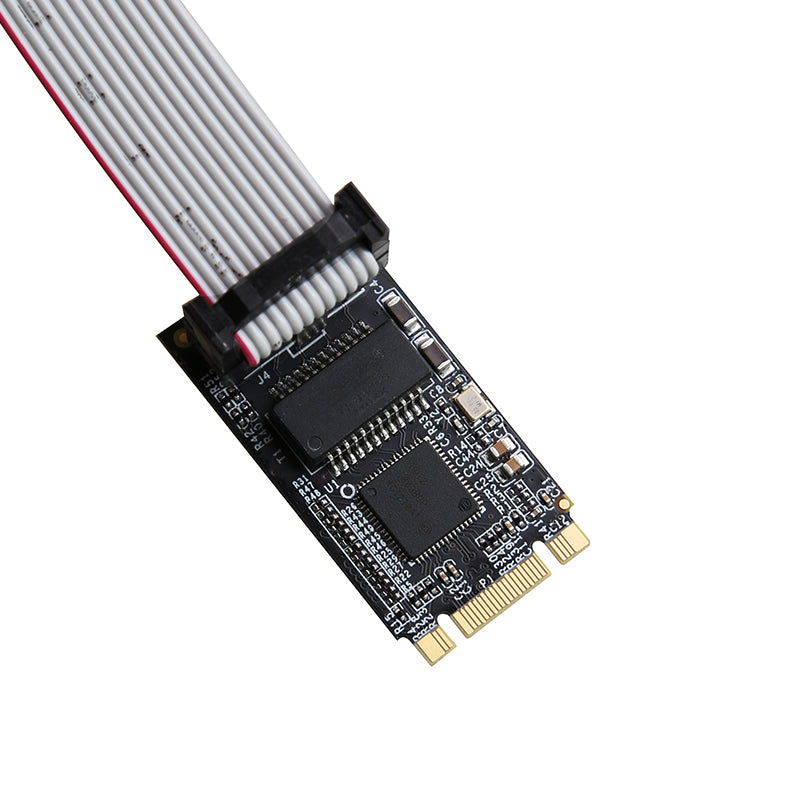
🚀 Lekuo M.2 Gigabit Network Card with Intel I210AT Chip
Enterprise-grade network adapter delivering reliable Gigabit Ethernet connectivity for laptops, NAS systems, servers, and embedded devices. Powered by trusted Intel technology.
Intel I210AT Chipset
Enterprise-grade reliability with true 1000Mbps throughput and advanced offload features
Universal Compatibility
M.2 B+M Key design fits most modern motherboards and devices
Plug & Play Ready
Easy installation with native driver support for Windows and Linux systems
Compact Design
2242 form factor (42×22mm) saves valuable space in tight builds
✨ Why Choose This M.2 Ethernet Adapter?
- 💻 Adding wired network to laptops and mini PCs
- 🗄️ NAS and home server network expansion
- 🏭 Embedded systems and industrial equipment
- 🔧 Replacing failed onboard Ethernet ports
- 🌐 Building multi-port network solutions
IEEE 802.3ab PCIe 1.1 VLAN Support Jumbo Frame Energy Efficient
📋 Technical Specifications
| Model Number | IO-M2F210-GLAN |
| Chipset | Intel I210AT |
| Interface Type | M.2 B+M Key (PCIe 1.1) |
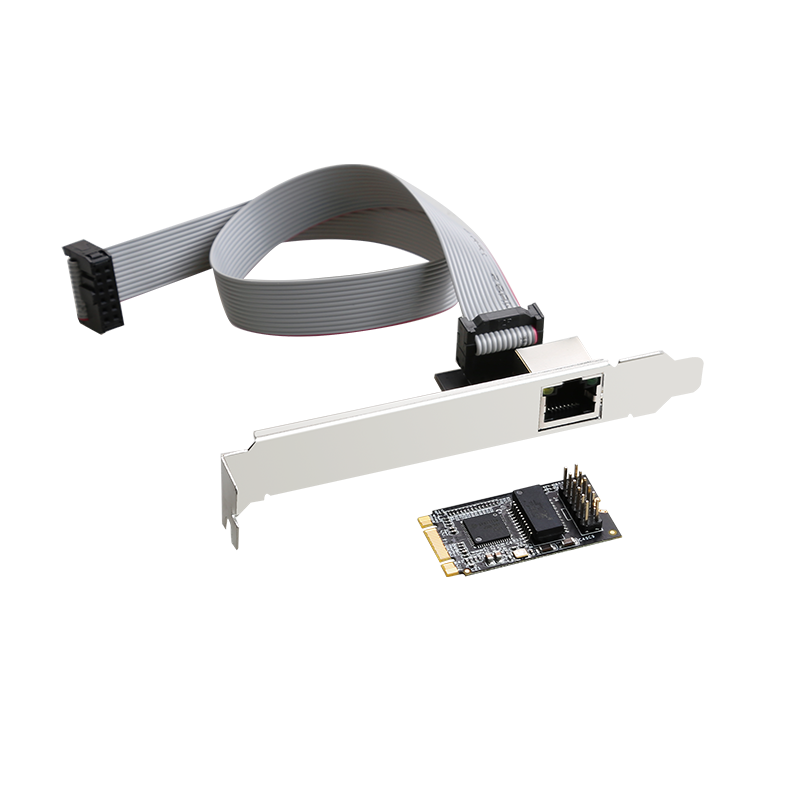
| Output Port | 1× RJ45 Gigabit Ethernet |
| Network Speed | 10/100/1000 Mbps (Auto-negotiation) |
| Form Factor | M.2 2242 (42×22mm) |
| Transfer Rate | 2.5 Gb/s (PCIe) |
| Product Weight | 20g (0.7 oz) |
🔧 Advanced Features
- Standards Compliance: IEEE 802.3 (10BASE-T), 802.3u (100BASE-TX), 802.3ab (1000BASE-T)
- Energy Efficient: IEEE 802.3az Energy-Efficient Ethernet support
- VLAN Support: IEEE 802.1Q VLAN tagging for network segmentation
- Flow Control: IEEE 802.3x Full Duplex Flow Control
- Jumbo Frames: Up to 9KB frame size for improved throughput
- Auto MDI/MDI-X: Automatic crossover detection and correction
- LED Indicators: Dual LEDs for Link/Activity (Green) and Gigabit Speed (Amber)
- Offload Support: Microsoft NDIS5 Checksum Offload (IPv4, TCP, UDP)
💻 System Compatibility
| Windows Desktop | 7, 8, 8.1, 10, 11 (32/64-bit) |
| Windows Server | 2008 R2, 2012, 2016, 2019, 2022 |
| Linux | Kernel 2.6.31 to 4.11.x LTS versions |
| Operating Temperature | 5°C to 50°C (41°F to 122°F) |
| Storage Temperature | -25°C to 70°C (-13°F to 158°F) |
| Humidity Range | 20% to 80% RH (non-condensing) |
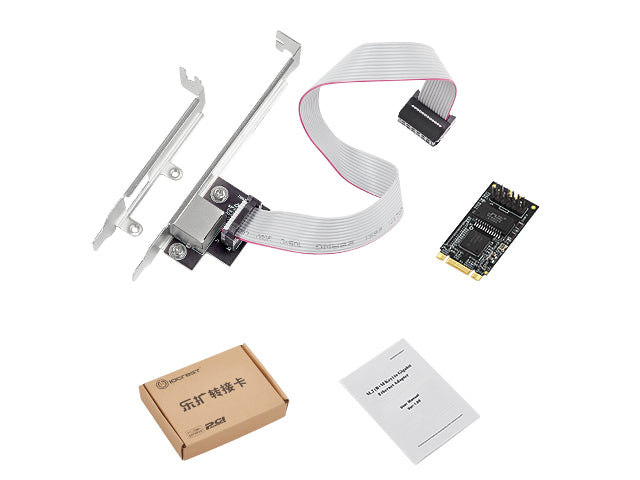
📦 Package Contents
- ✅ 1× M.2 to Gigabit Ethernet Adapter Card
- ✅ 1× RJ45 Daughter Card (for external mounting)
- ✅ 1× Gigabit Ethernet Cable
- ✅ 1× User Manual (English)
🔽 Driver Download
Latest Intel I210 Driver Available
Download the latest driver package for optimal performance: Download Driver (ZIP)
Most modern operating systems will auto-detect the adapter. Manual driver installation is only needed for older systems or advanced features.
🛠️ Quick Installation Guide
- Power Off: Completely shut down your device and disconnect power
- Locate M.2 Slot: Find an available M.2 slot (B-Key or M-Key compatible)
- Insert Adapter: Align the adapter at a 30-degree angle and gently insert into the slot
- Secure Card: Press down and fasten with the included mounting screw
- Connect Cable: Attach your Ethernet cable to the RJ45 port
- Power On: Start your device - most systems will auto-detect the adapter
- Install Driver: If needed, install the driver from the link above
- Check your motherboard manual to confirm M.2 slot compatibility (some slots are SATA-only)
- For best performance, connect to a Gigabit-capable router or switch
- Enable Jumbo Frames in advanced settings for NAS/server applications
- Update to the latest driver for Windows 11 compatibility
❓ Frequently Asked Questions (FAQ)
Will this adapter work in my laptop's M.2 slot?
Yes, as long as your laptop has an available M.2 slot that supports B-Key or M-Key (this adapter is B+M Key compatible). However, note that some M.2 slots are SATA-only and won't work with PCIe devices. Check your laptop's manual or motherboard specifications to confirm PCIe support. Most modern laptops with M.2 slots support PCIe.
Do I need to install drivers?
Download the latest driver here: Intel I210 Driver (ZIP). While Windows 10/11 and modern Linux distributions include native support, installing the official driver ensures optimal performance and access to advanced features like VLAN and Jumbo Frames.
What's the difference between B-Key and M-Key?
B-Key and M-Key refer to the notch position on M.2 connectors. This adapter features a B+M Key design (dual notches), making it compatible with both B-Key and M-Key slots. This ensures maximum compatibility across different motherboards and devices.
Can I use this in a NAS or server?
Absolutely! This adapter is perfect for NAS and server applications. The Intel I210AT chipset is enterprise-grade and supports advanced features like VLAN tagging, Jumbo Frames (9KB), and hardware offload. It's compatible with popular NAS operating systems including TrueNAS, Unraid, and OpenMediaVault.
Will this work with my 2.5G or 10G network?
This adapter supports up to 1000Mbps (1 Gigabit). It will work on 2.5G or 10G networks but will be limited to 1Gbps speed. The adapter auto-negotiates and is backward compatible with 10/100Mbps networks as well.
What size M.2 slot do I need?
This is a 2242 form factor (42mm length, 22mm width). It will fit in any M.2 slot that supports 2242, 2260, 2280, or 22110 sizes. Most motherboards have mounting holes for multiple lengths, so a 2242 card will fit in longer slots.
Can I use this alongside my M.2 SSD?
Yes, if your motherboard has multiple M.2 slots. Each M.2 device requires its own dedicated slot. Check your motherboard specifications to see how many M.2 slots are available and whether they support PCIe or SATA.
Does this support Wake-on-LAN (WoL)?
Yes, the Intel I210AT chipset supports Wake-on-LAN functionality. You'll need to enable WoL in your BIOS/UEFI settings and configure it in your operating system's network adapter settings.
What's included in the package?
The package includes: 1× M.2 adapter card, 1× RJ45 daughter card (for external port mounting if needed), 1× Ethernet cable, and 1× user manual. Everything you need to get started is included.
🛡️ Quality Guarantee: All Lekuo products undergo rigorous testing. We stand behind our products with responsive customer support.