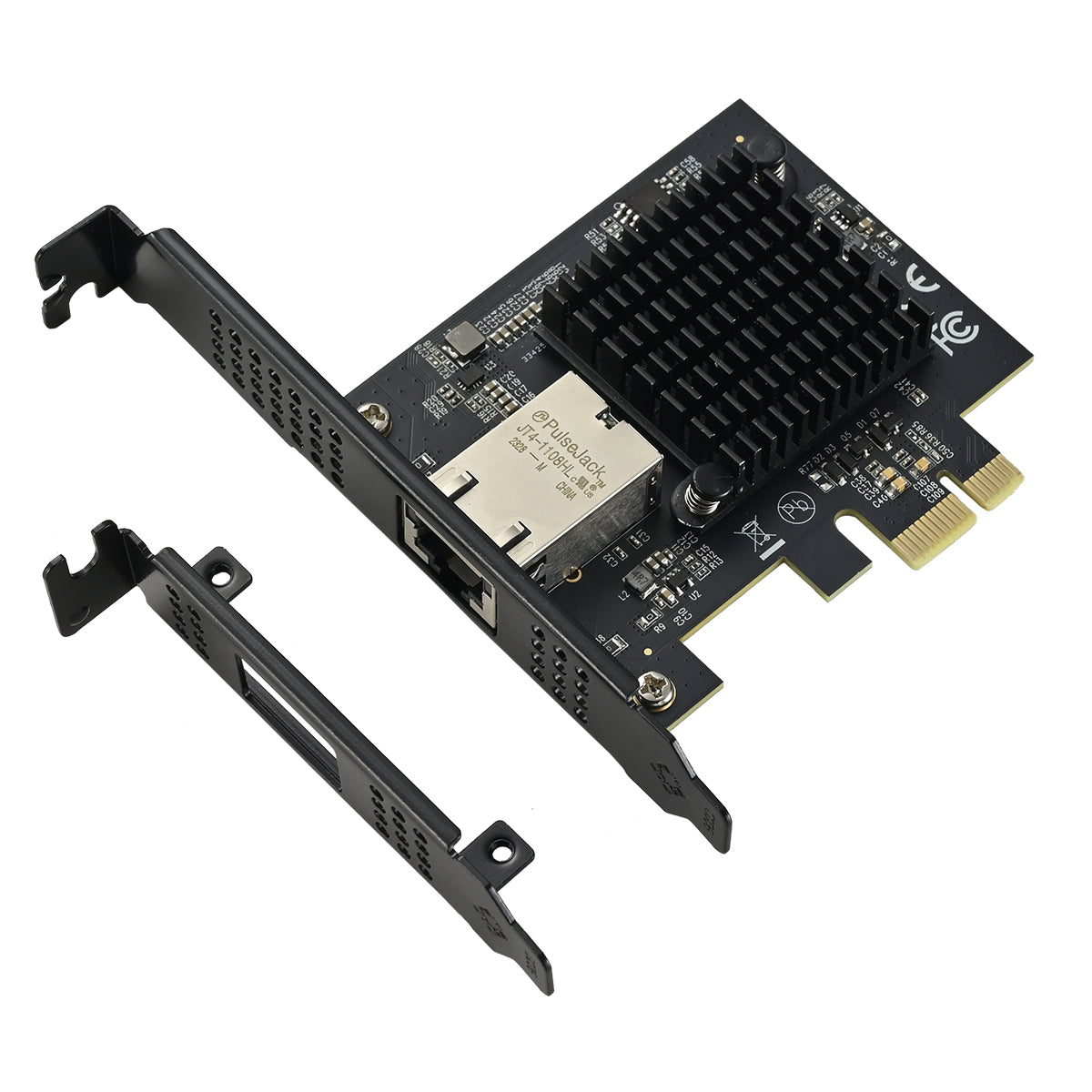
📋 Technical Specifications
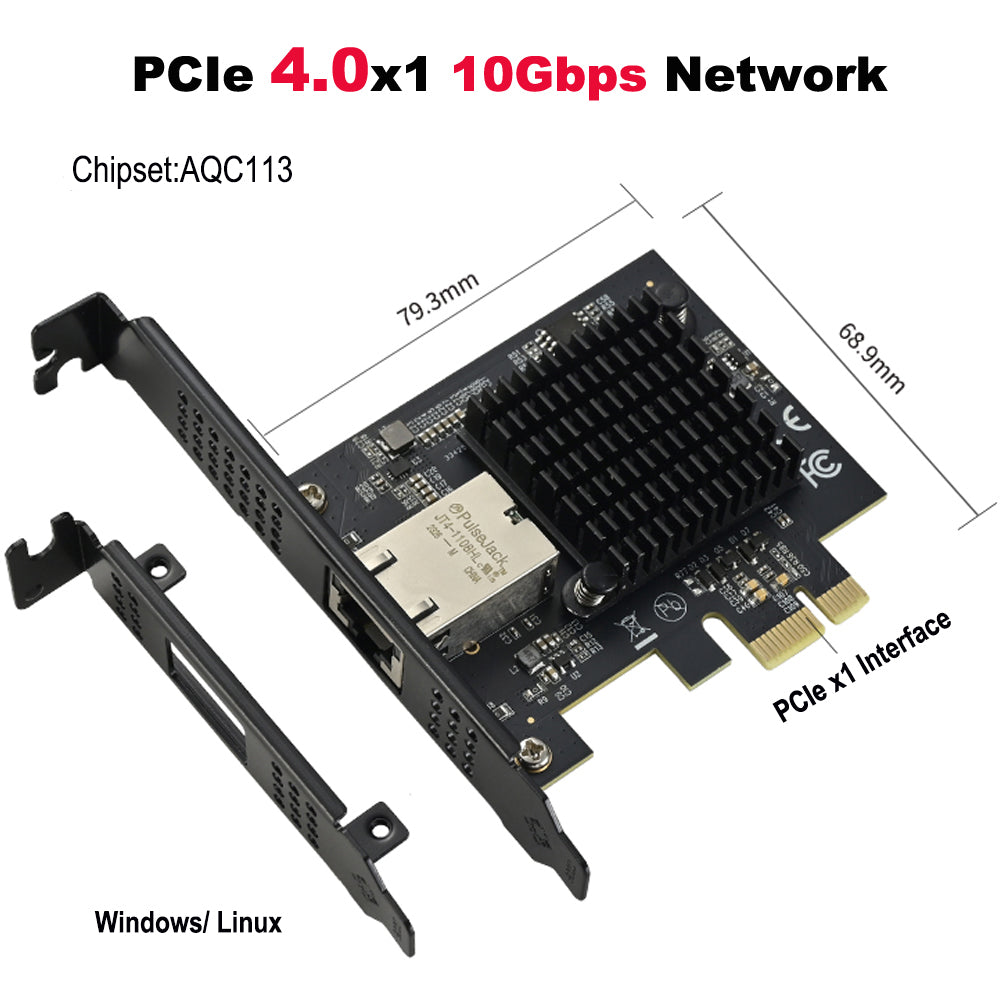
| Model |
IO-PCE1131-GLAN |
| Chip |
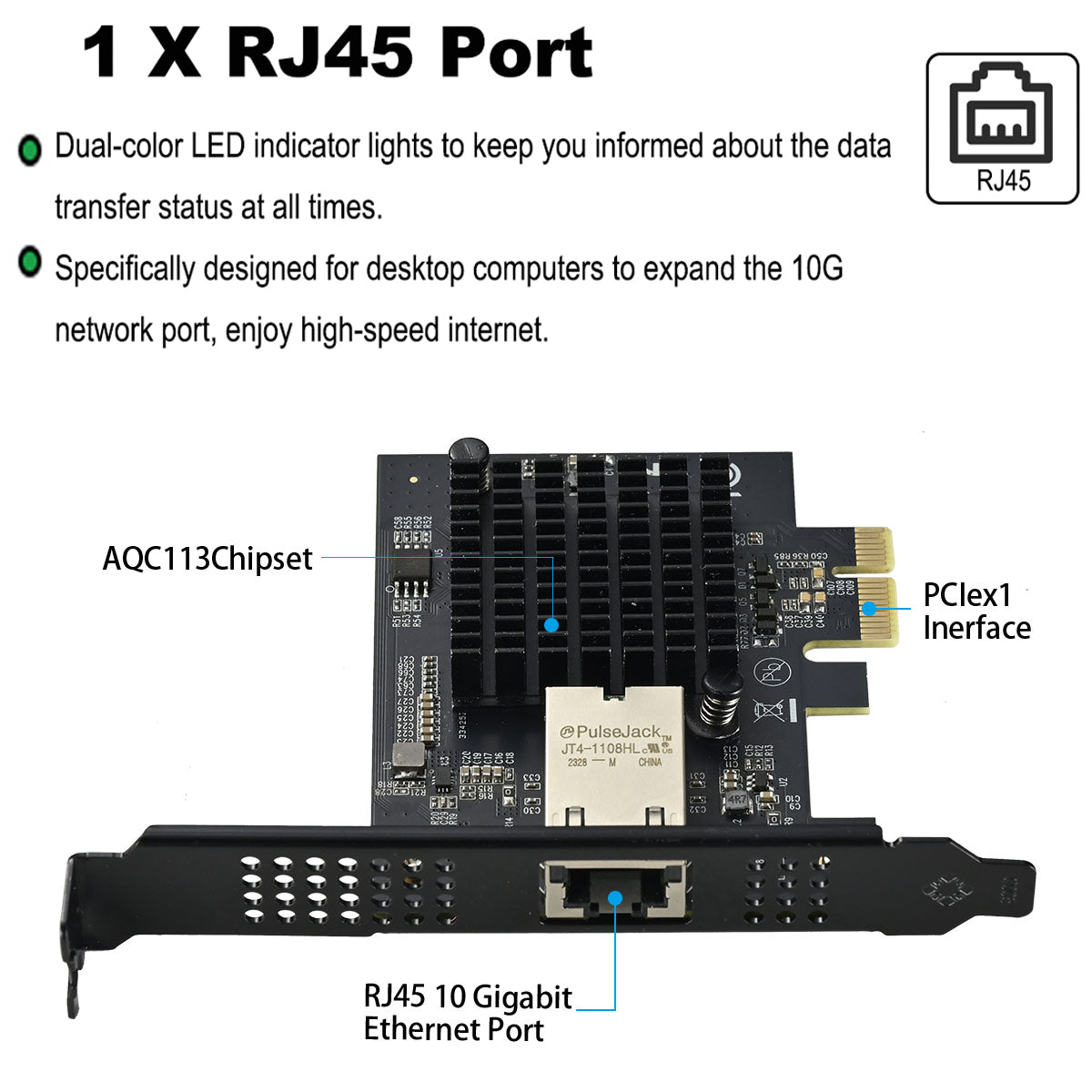
Marvell AQC113 |
| Port Type |
1 x RJ45 Port |
| Interface Type |
PCIe x1 |
| Speed |
10/100/1000M/2.5G/5G/10G |
| Application |
Desktop, Server, NAS, Soft Router |
| Operating Temperature |
0℃ ~ 85℃ (-32℉ ~ 185℉) |
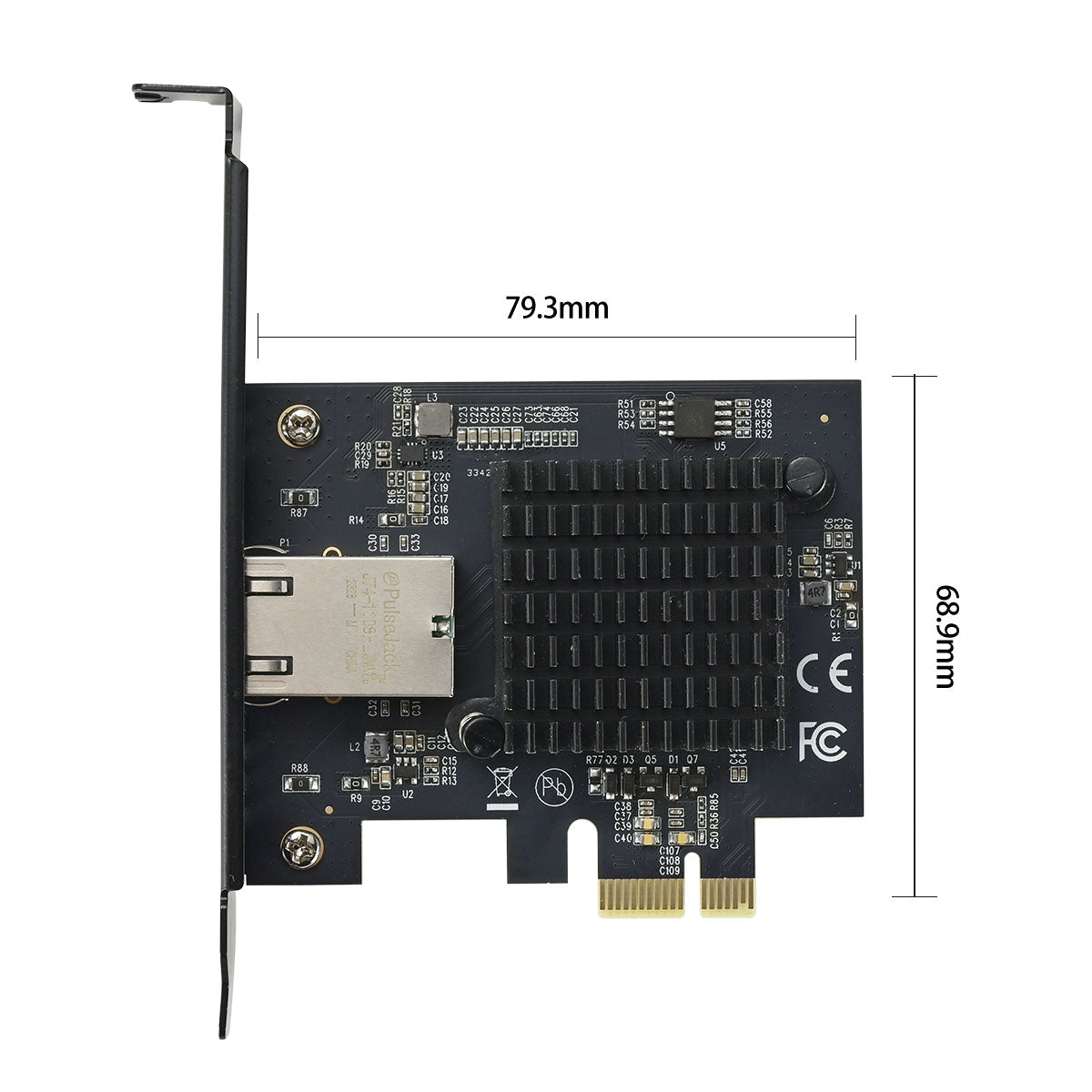
| Dimensions |
79.3 × 68.9mm |
| Weight |
Net 62.7g / Gross 107.2g |
| System Support |
Windows, Linux and other systems |
✅ Why Choose This Network Card?
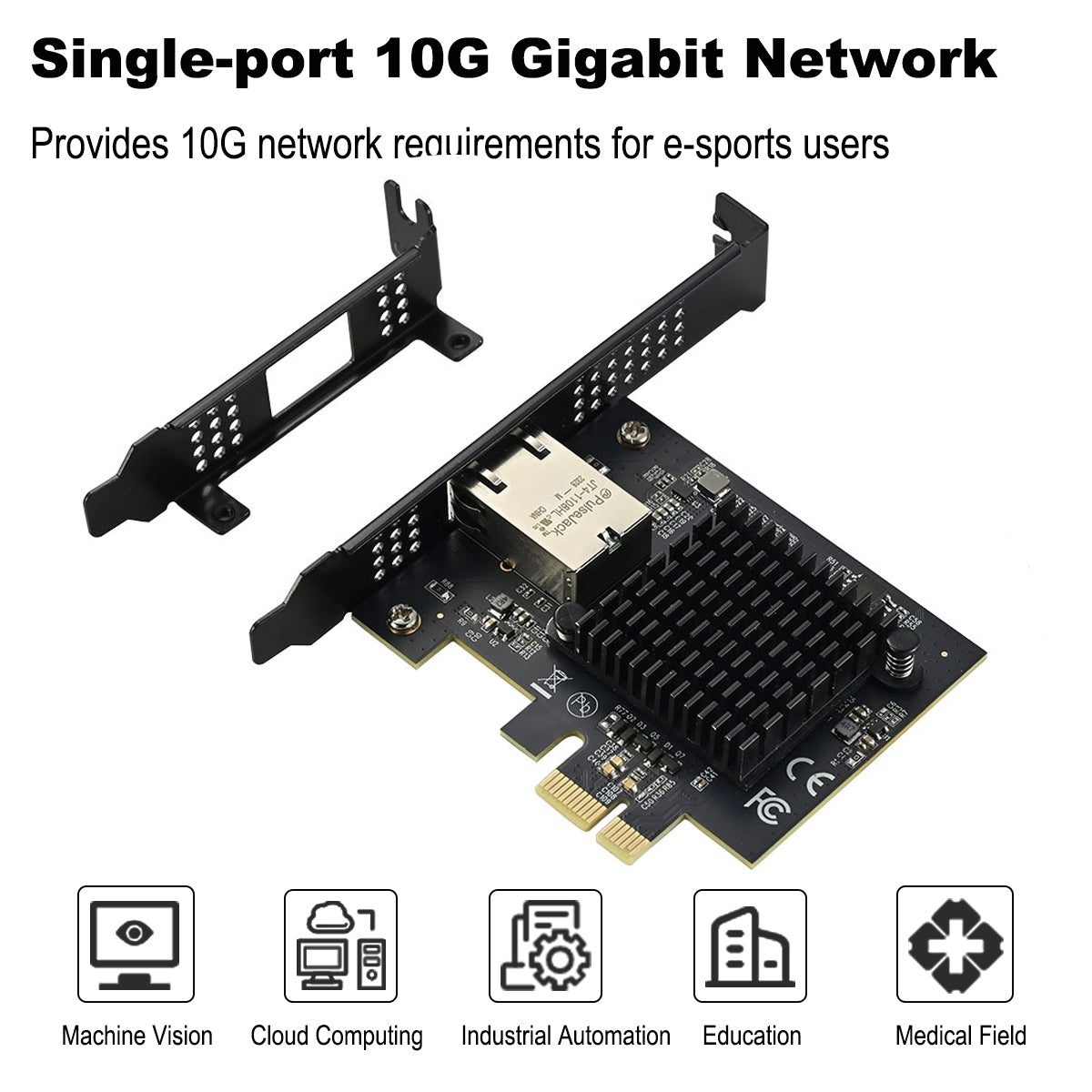
⚡ 10-Gigabit Network
Up to 10Gbps transfer speed, 10x faster than gigabit networks
🔄 Multi-Rate Adaptive
Supports 10M to 10G full-rate automatic adaptation
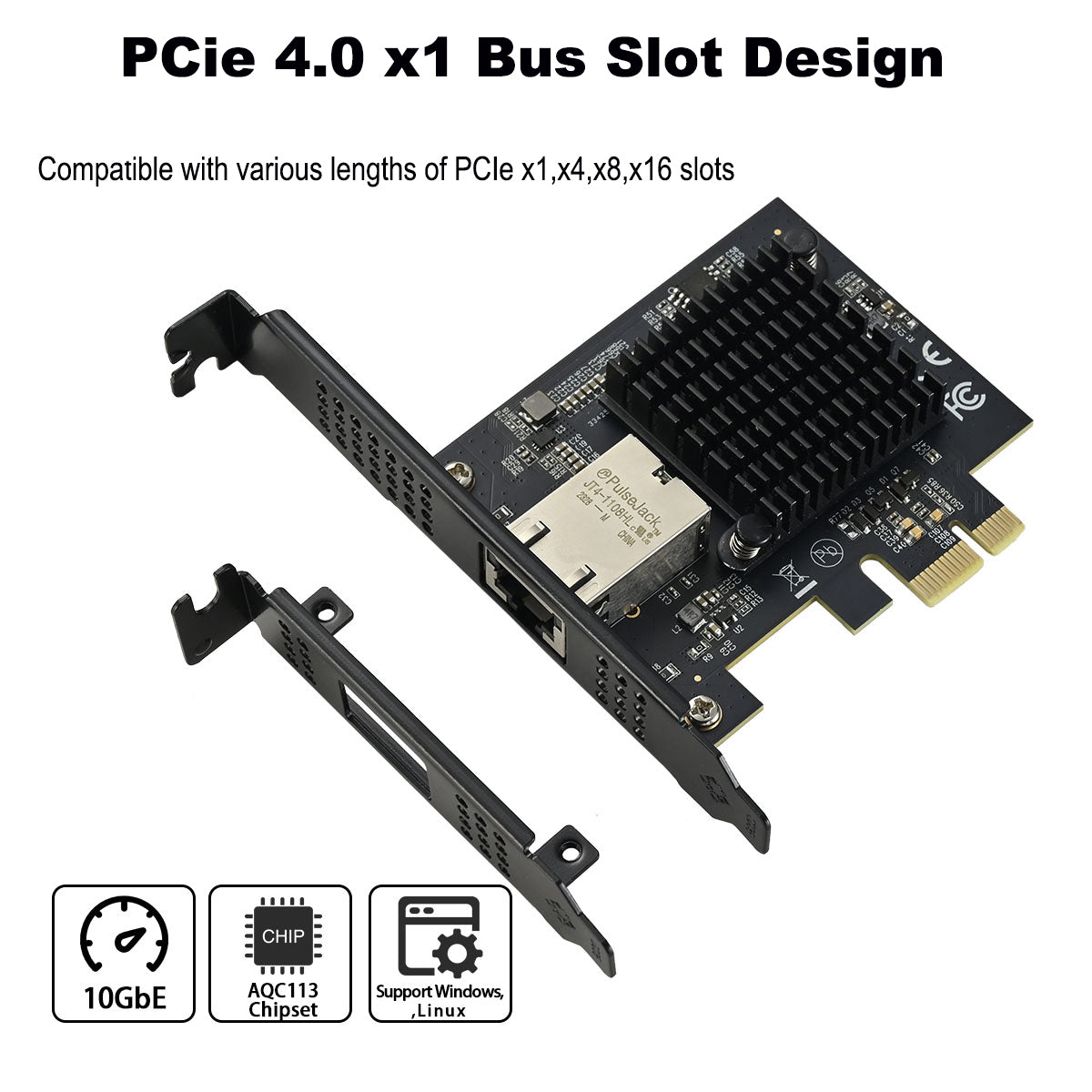
💾 PCIe x1 Interface
Uses minimal PCIe slots, better compatibility
🌡️ Wide Temperature Range
0-85℃ operating temperature, adapts to various environments
🎯 Perfect For
🏢 Enterprise Users
Large file transfers, network storage access acceleration
🎮 Gamers
Reduce network latency, enhance gaming experience
📹 Content Creators
HD video transmission, smooth cloud collaboration
🔧 IT Professionals
Server connections, NAS soft router deployment
📦 Package Contents
-
Network Card: IO-PCE1131-GLAN × 1
-
Low Profile Bracket: For small form factor cases × 1
-
Installation Guide: Quick start tutorial × 1
⚠️ Before Installation
🔌 Hardware Requirements
- Requires PCIe x1 or higher slot
- Recommend Cat6 or higher grade cables
⚡ Network Requirements
- Requires 10G switch or router
- Full 10G chain support needed for 10G speeds
💾 Driver Download
🔍 Troubleshooting Guide
❌ Device Not Recognized
Check if network card is fully inserted into PCIe slot
⚡ Speed Not Reaching 10G
Confirm cables and switches support 10G
📶 Unstable Connection
Update to latest driver version
🌐 Cannot Access Internet
Check IP configuration and gateway settings
❓ Frequently Asked Questions (FAQ)
❓ Does Windows require driver installation?
✅ Yes. Windows requires driver installation for optimal performance.
❓ What are the requirements for the Ethernet cable?
✅ Cat6e or Cat7. Use Cat6e or Cat7 Ethernet cables for best 10G performance.
❓ Does this network card support PXE diskless boot and WOL (Wake-on-LAN) network wake-up?
✅ It supports PXE and WOL network wake-up. Both features are fully supported.
❓ Why can't I achieve 10G speeds no matter how I test it?
✅ Check the following:
- Check if the Ethernet cable is Cat6/7.
- Ensure that the driver is up to date (you can download the latest driver from here).
- Verify whether the network settings have enabled Jumbo Frames.
- Check if the switch/gateway device can reach 10G speeds.
- Test whether the hard drive uses the NVMe protocol (the hard drive read speed should be higher than the network transfer speed).
- When using iperf3 for testing after enabling Jumbo Frames, use multi-threaded mode.
- In Windows, check if the network card setting is 10G. Method to set the network card speed: Right-click on "This PC" -- Manage -- Device Manager -- Network Adapters, find the corresponding device, then right-click on Properties -- Advanced -- Speed and Duplex -- Value.
❓ Can this card achieve full 10G speeds on a PCIe 3.0 bandwidth?
✅ The speed is around 7 - 8Gbps. It requires a PCIe 4.0 bandwidth to achieve full 10G speed.
❓ Why is the file transfer speed from my Windows 10 computer to my NAS only a few hundred megabits, while the speed from NAS to Windows can reach around 1G?
✅ Troubleshooting steps:
- Confirm that the negotiated rate at both ends is 10Gbps full-duplex.
- Use iperf3 to test network throughput to rule out storage impact.
- Check the storage write speed, especially the NAS write performance. You can transfer a large file from another device to the NAS to observe the speed. If the NAS write speed itself is insufficient (e.g., a mechanical hard drive in RAID5), it may be the bottleneck.
- Check the SMB protocol version and encryption settings.
- Update the driver.
- Adjust TCP/IP parameters and Jumbo Frame settings.
- Disable software or services that may affect performance, such as antivirus software and firewalls.
💡 Tip: If iperf3 tests show that both directions can reach close to 10Gbps, then the issue may lie in the storage write speed. Conversely, if iperf3 shows asymmetric network speeds, you need to check the network configuration.
❓ Can this PCIe x1 card be used in a PCIe x4 or x16 slot?
✅ Yes, fully compatible. This network card features a PCIe x1 interface design for maximum compatibility. It can be installed and will work perfectly in any PCIe x1, x4, x8, or x16 slot on your motherboard.
❓ Why can't I reach the full 10Gbps speed on a PCIe 3.0 slot?
⚠️ PCIe 3.0 x1 bandwidth limitation. The Marvell AQC113 chip over a PCIe 3.0 x1 lane has a theoretical one-way bandwidth of about 8Gbps (actual real-world speed around 7–8Gbps after overhead). To achieve the full 10Gbps line rate, it is recommended to connect it to a PCIe 4.0 x1 or higher slot.
❓ Does this 10G network card support 2.5G or 5G speeds, or only 1G and 10G?
✅ Full multi-rate support. This card is fully compatible with 10M / 100M / 1000M (1G) / 2.5G / 5G / 10G network speeds, and will automatically negotiate the optimal speed with your switch or router.
❓ Does this AQC113 card support Synology NAS, QNAP, or PVE/ESXi systems?
✅ Yes, broadly compatible. In addition to native Windows 10/11 and Linux system support, the Marvell AQC113 chipset is widely supported in modern Linux kernels, making it excellent for DIY NAS, soft routers (e.g., OpenWrt), and virtualization environments like PVE or ESXi.
❓ What kind of Ethernet cable do I need to achieve 10Gbps speed?
✅ Cat6A / Cat7 or above recommended. To ensure stable 10G data transmission and prevent packet loss, it is highly recommended to use high-quality Cat6 (for short distances) or Cat6A / Cat7 and above Ethernet cables.
❓ 10G network cards usually run hot. How is the thermal performance of this card?
✅ Excellent thermal design. This network card is equipped with a large, highly efficient heatsink and supports a wide operating temperature range from 0°C to 85°C. With standard PC case airflow, it manages heat exceptionally well during prolonged high-load file transfers.
❓ Does this network card support Wake-on-LAN (WOL) and PXE Boot?
✅ Yes, fully supported. It fully supports both WOL (Wake-on-LAN) for remote wake-up and PXE diskless boot, which is convenient for corporate IT deployment and remote device management.
❓ My PC is a mini case (ITX / SFF). Will this network card fit?
✅ Yes, Low Profile bracket included. In addition to the pre-installed standard-height bracket, the package includes a Low Profile bracket for small form factor cases, making it perfectly compatible with ITX builds, SFF PCs, and 2U servers.
❓ I can't reach full 10G speed when testing with iperf3 in Windows. How can I optimize it?
✅ Optimization tips:
- Enable Jumbo Frames (e.g., 9000 bytes) in the card's Advanced Properties via Device Manager.
- Ensure your storage write speeds are sufficient (NVMe SSD recommended).
- Use multi-threaded mode in your iperf3 test (e.g., add parameter
-P 4).
❓ Where can I download the latest driver? Is Windows 11 plug-and-play?
⚠️ Driver installation required. Windows 11 requires driver installation. It is recommended to download the latest driver from the product detail page (or from the official Marvell website) to ensure optimal performance and stable jumbo frame operation.
🛡️ Quality Assurance
Providing quality products and professional technical support
💡 Having installation issues? Contact us for one-on-one technical guidance!
No driver available for this product.
No FAQ available for this product.
No related articles found.