
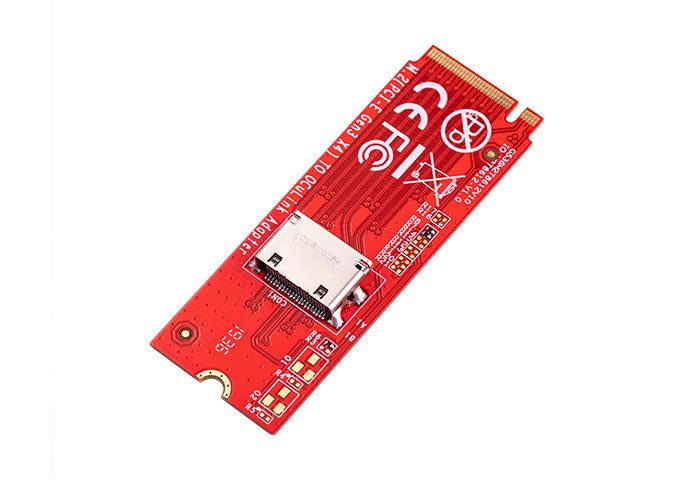
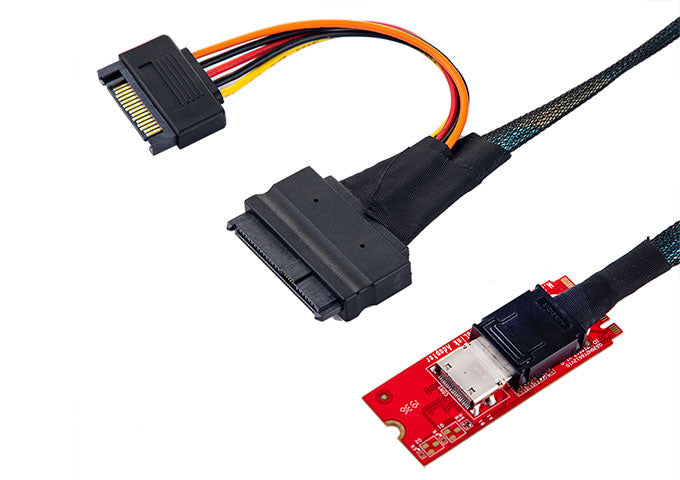
🔌 Lekuo M.2 to Oculink SFF-8612 Adapter
Model: IO-ADA86121 | Brand: Lekuo
Professional M.2 M-Key to Oculink SFF-8612 adapter for high-speed NVMe SSD expansion, eGPU connectivity, and server storage solutions. 24Gb/s transfer rate with PCIe Gen3 x4 bandwidth.
📋 Technical Specifications
| Model Number | IO-ADA86121 |
| Input Interface | M.2 M-Key |
| Output Interface | Oculink SFF-8612 |
| Motherboard Slot | M.2 |
| Transfer Rate | 24Gb/s (PCIe Gen3 x4) |
| Product Size | 22 × 60 mm |
| Included Cable | Oculink SFF-8611 to SFF-8639 |
✨ Key Features
- Oculink to PCIe Conversion - Built-in SFF-8612 connector with PCIe pin-out
- NVMe Express 1.2a - Full compliance for high-speed storage
- PCIe Gen3 x4 - Support PCI Express Base Specification Rev 3.0
- SFF-8612 v3.5 - Compliant with latest specification standards
- Universal Compatibility - Support SSD Form Factor Version 1.a
💻 System Requirements
- Operating System: Windows 7, 8, 8.1, 10, 11 or later
- Firmware: UEFI 2.3.1 or later
- Available M.2 slot on motherboard
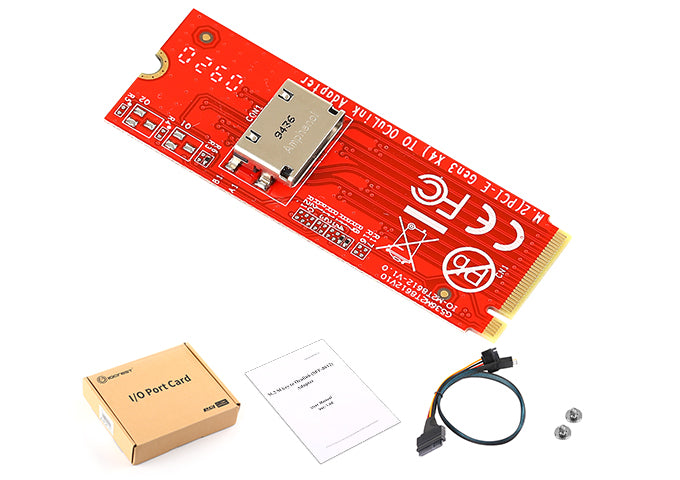
📦 Package Contents
- 1 × M.2 M-Key to Oculink SFF-8612 Adapter Card
- 1 × Oculink SFF-8611 to SFF-8639 Cable
- 1 × User Manual
❓ Frequently Asked Questions
Q: What is this adapter used for?
A: This adapter converts M.2 NVMe SSDs to Oculink SFF-8612 interface, enabling external storage expansion, eGPU connections, or server storage configurations. It's perfect for adding high-speed NVMe storage to systems with Oculink ports.
Q: What M.2 sizes are supported?
A: The adapter supports all standard M.2 NVMe SSD sizes: 2230, 2242, 2260, and 2280. It is designed for M-Key M.2 slots only.
Q: Does it support SATA M.2 drives?
A: No, this adapter only supports NVMe protocol M.2 drives. SATA M.2 drives are not compatible.
Q: What is the maximum transfer speed?
A: The adapter supports PCIe Gen3 x4 with up to 24Gb/s (approximately 3GB/s) bandwidth, depending on your M.2 SSD and host system capabilities.
Q: Is the Oculink cable included?
A: Yes, an Oculink SFF-8611 to SFF-8639 cable is included in the package for immediate connectivity.
Q: Do I need to install drivers?
A: No drivers are required. The adapter is plug-and-play and will be recognized automatically by Windows, Linux, and other operating systems that support NVMe and Oculink.
Q: Can I use this for external GPU (eGPU) setups?
A: While this adapter is primarily designed for NVMe storage, it can be used in certain eGPU configurations if your system supports Oculink-based external graphics. However, performance may vary depending on your specific setup.
Q: What systems are compatible?
A: Any system with an Oculink SFF-8612 port can use this adapter. This includes certain servers, workstations, and mini PCs with Oculink connectivity.
Q: What is the warranty period?
A: The IO-ADA86121 comes with a 1-year manufacturer warranty covering defects in materials and workmanship.
Q: Can I hot-swap drives with this adapter?
A: Hot-swapping capability depends on your host system's support. We recommend safely ejecting the drive through your operating system before removal to prevent data loss.